Cookies and audience measurement

We use cookies to measure how the site is used and which ad brought you here. Nothing loads before you agree, and saying no changes nothing on the site. Read the privacy policy

Black Friday on Friday 27 November. Newsletter subscribers get early access on Thursday 26 November.Black Friday on Friday 27 November: early access for subscribersSign up

Set up your OYAon iPhoneon Android

Give it three minutes. You will never do it again.

Set up your OYA on iPhone

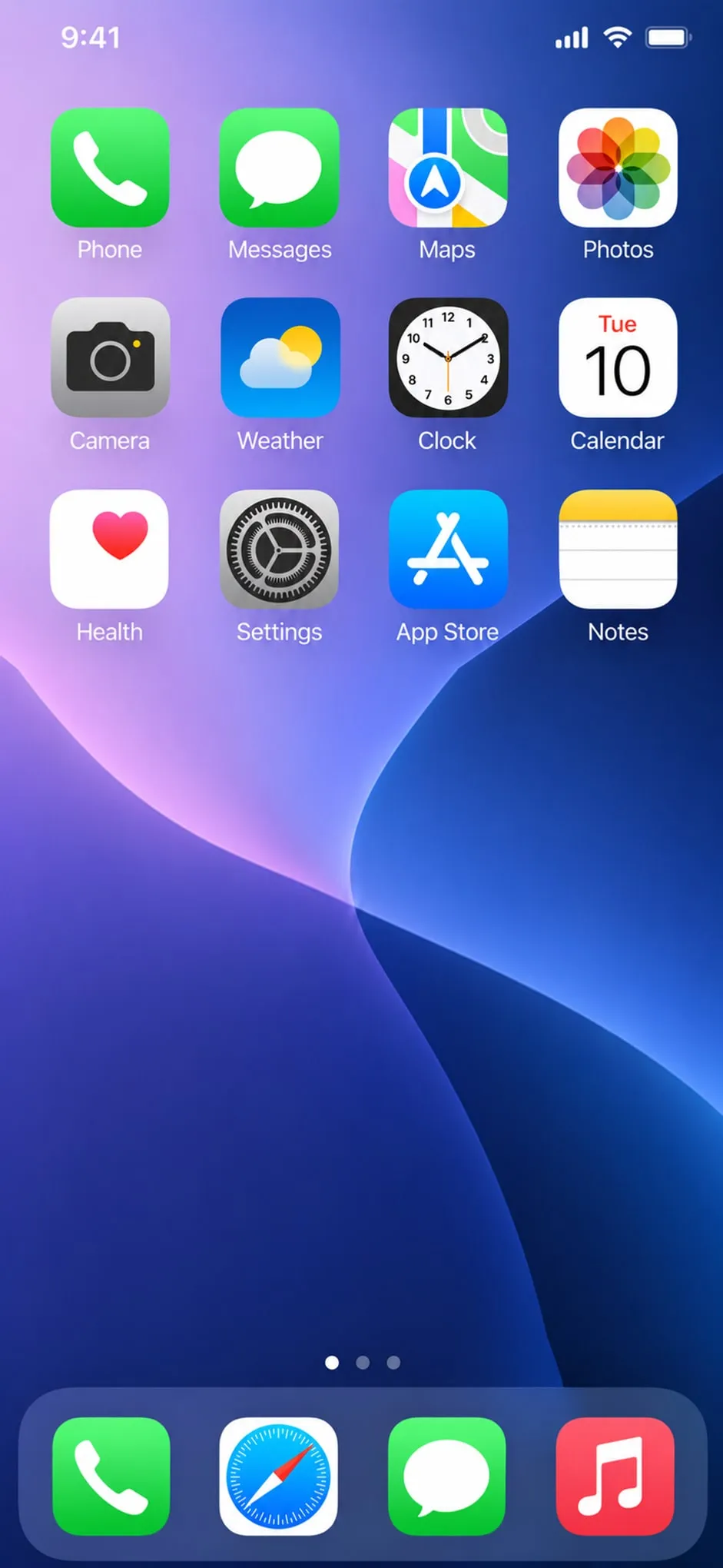
Open SettingsThe grey gear icon, on the home screen.
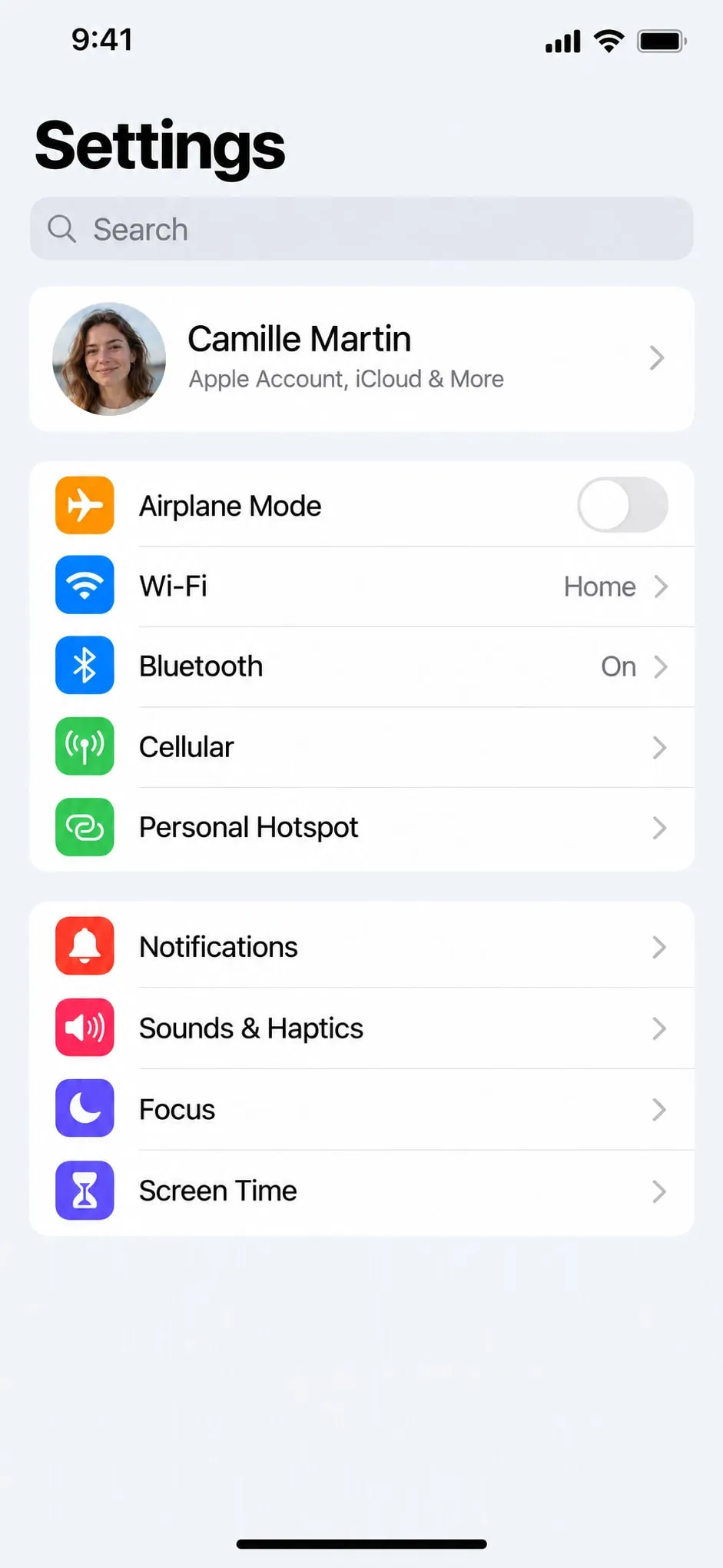
Tap BluetoothIn the first list, under Wi-Fi.
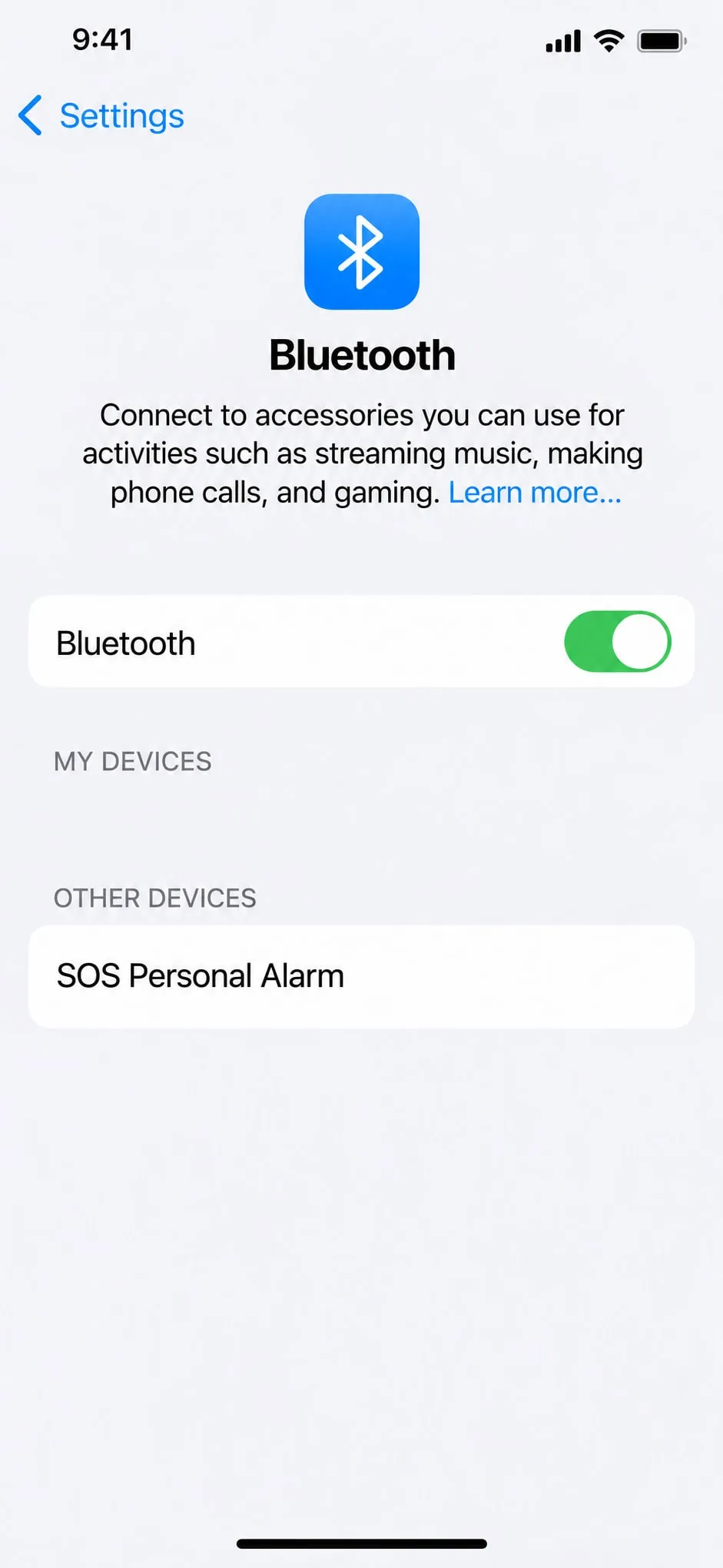
Turn on BluetoothThe switch has to turn green.
Hold OYA’s side buttonUntil it beeps: it is ready to be found.
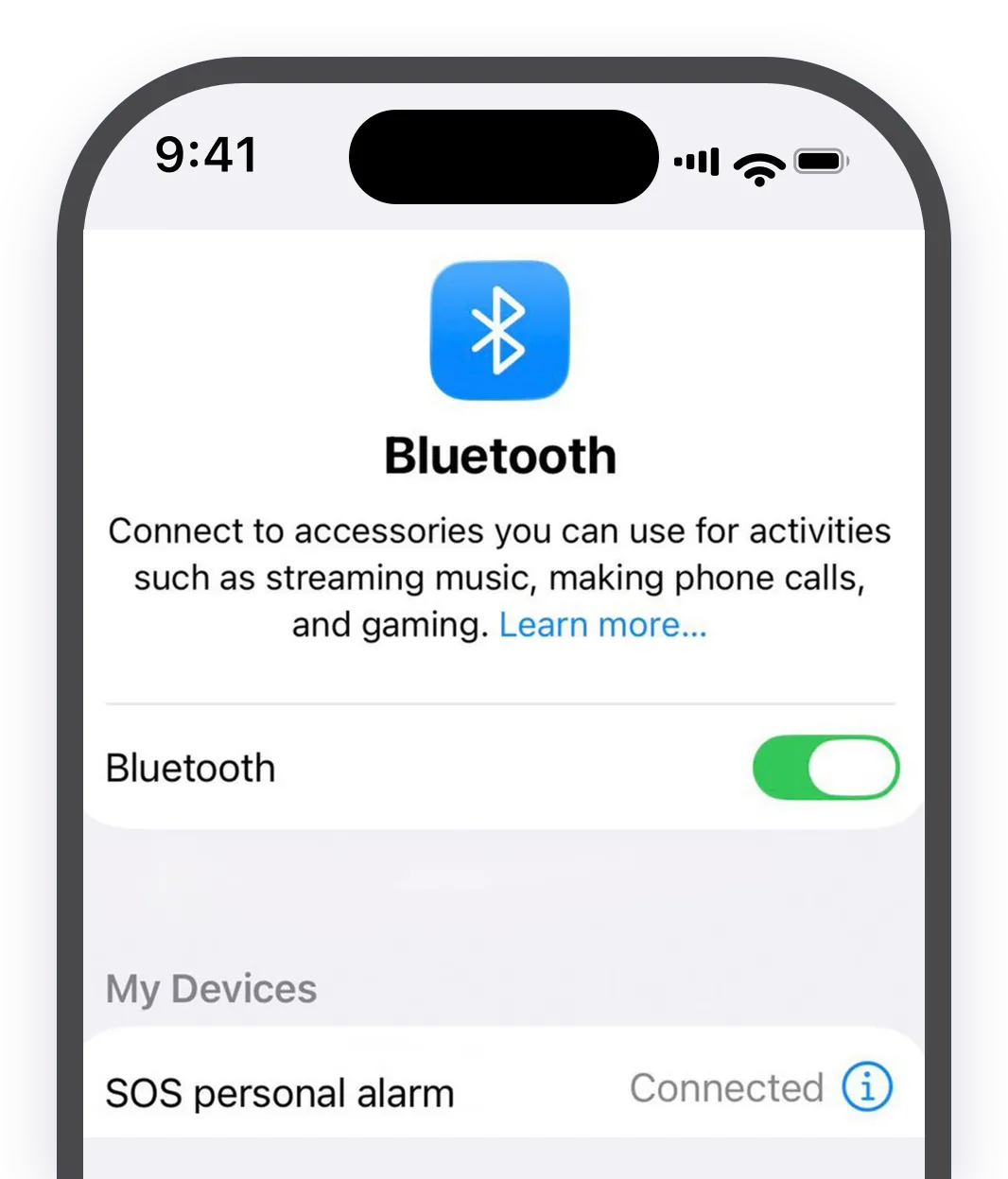
It shows up: “SOS Personal Alarm”That is your OYA: the name comes from the module inside.
Tap “SOS Personal Alarm”Under “Other devices”.
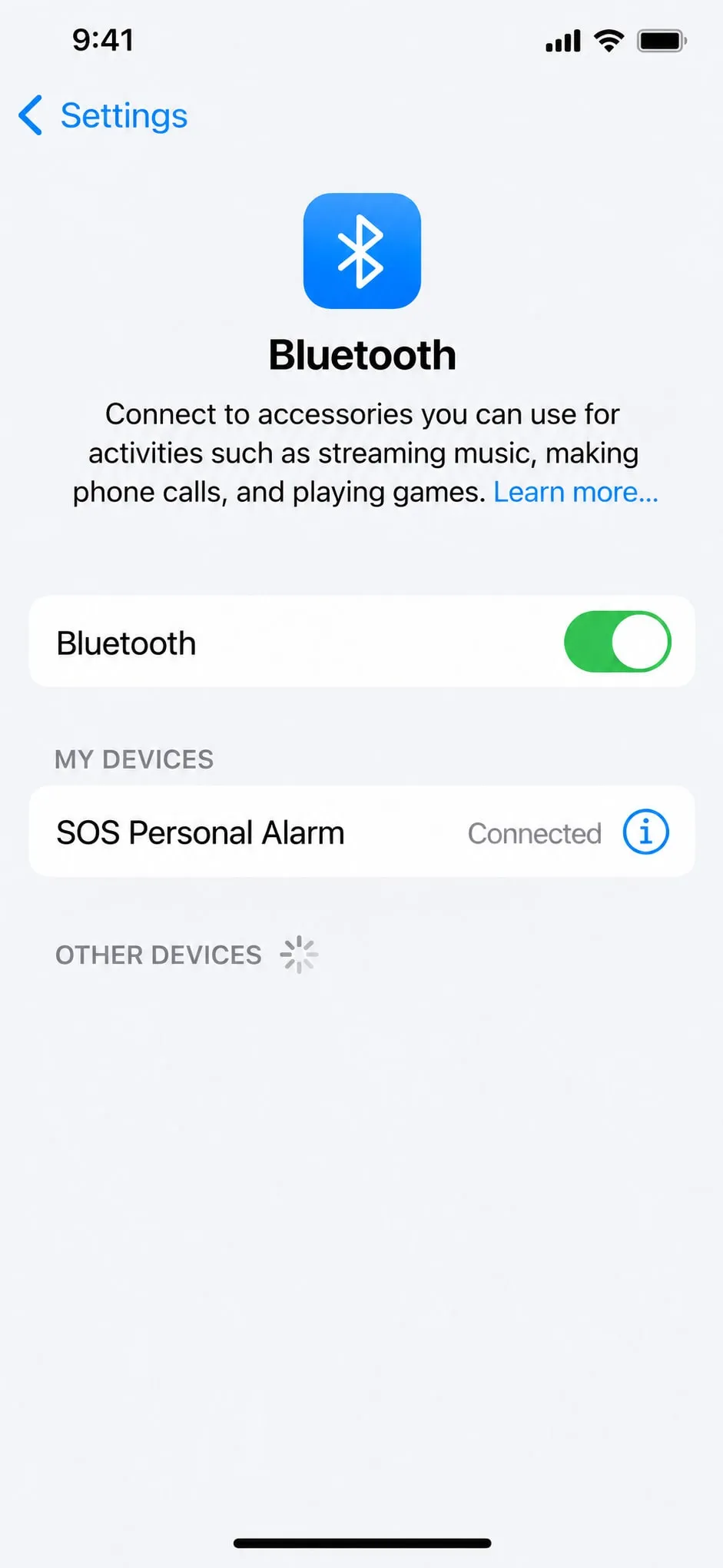
“Connected”: it is pairedPairing happens only once.
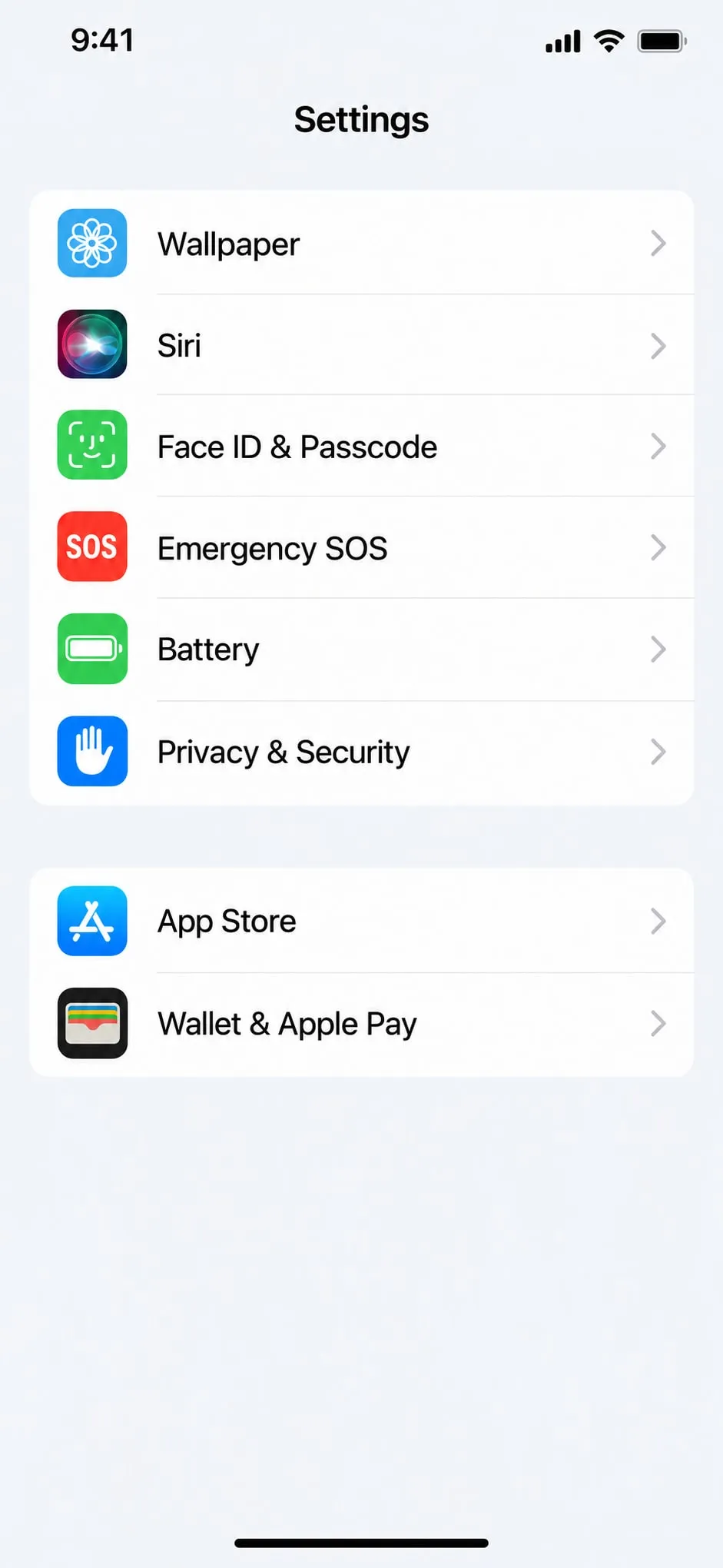
Go back to SettingsScroll down to “Emergency SOS”, the red SOS icon.
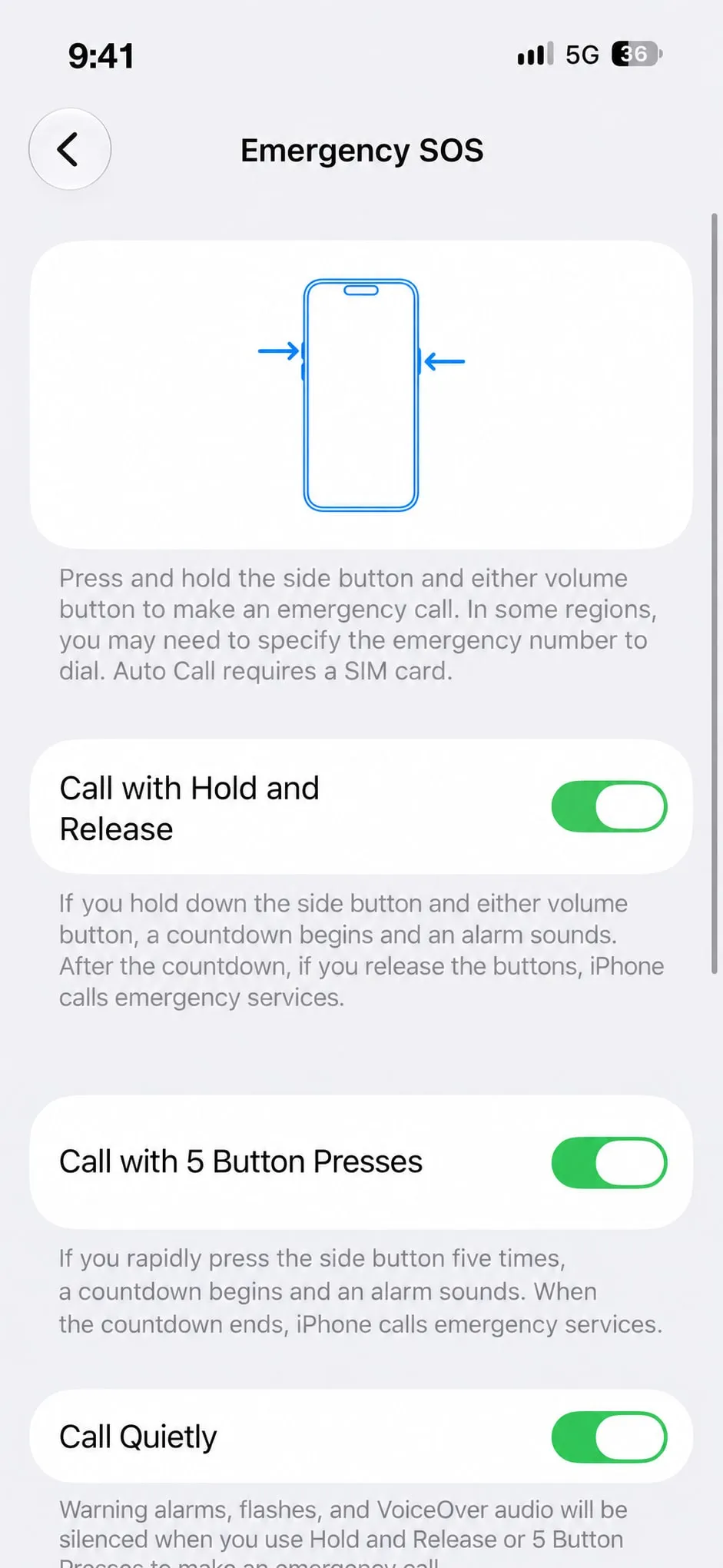
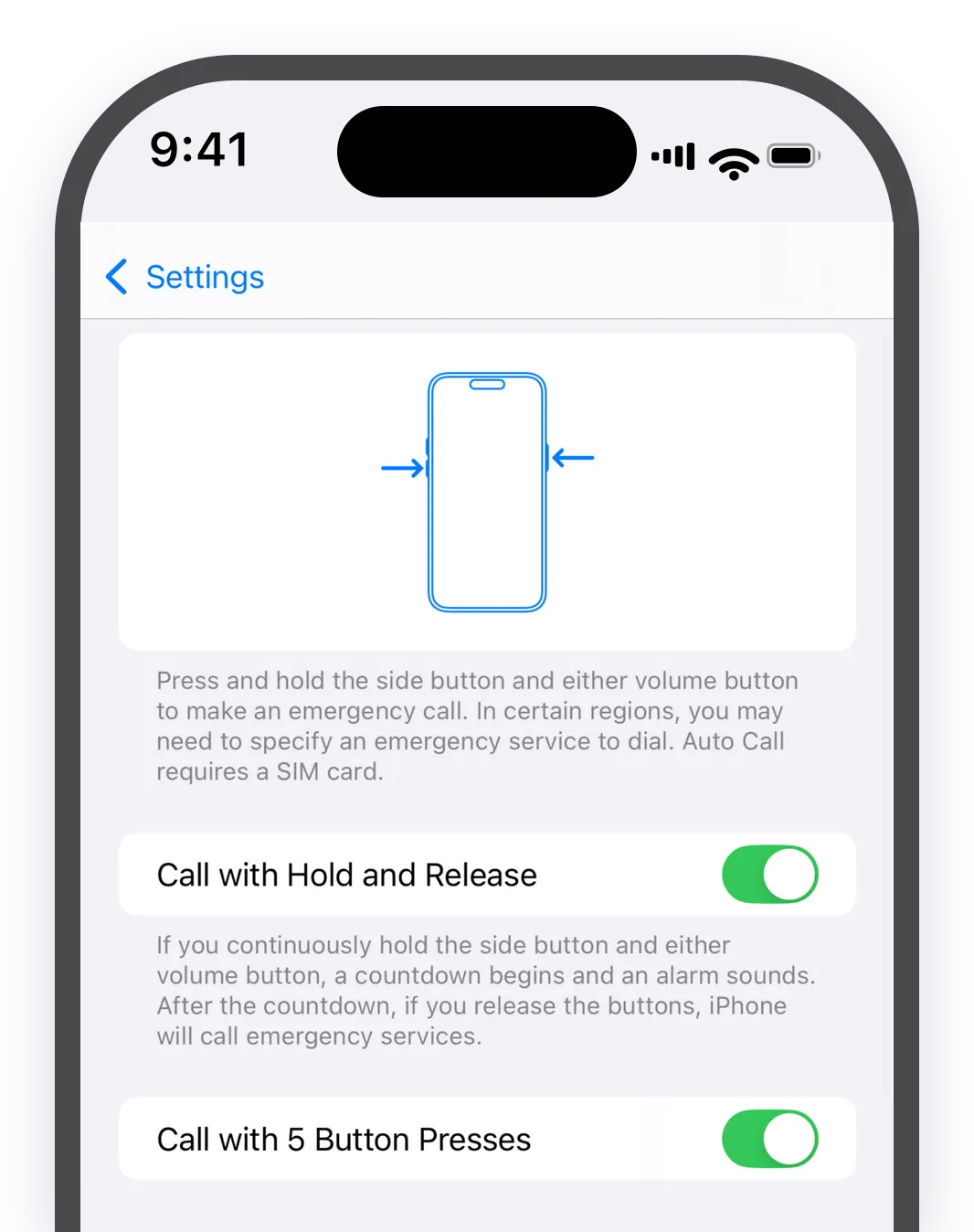
Turn on all three switchesIn “Emergency SOS”, everything should be green.
“Call with Hold and Release”The first switch.
“Call with 5 Button Presses”The second switch.
“Call Quietly”The third one, further down.
The call goes out on its ownWhen the SOS is triggered, your phone dials emergency services.
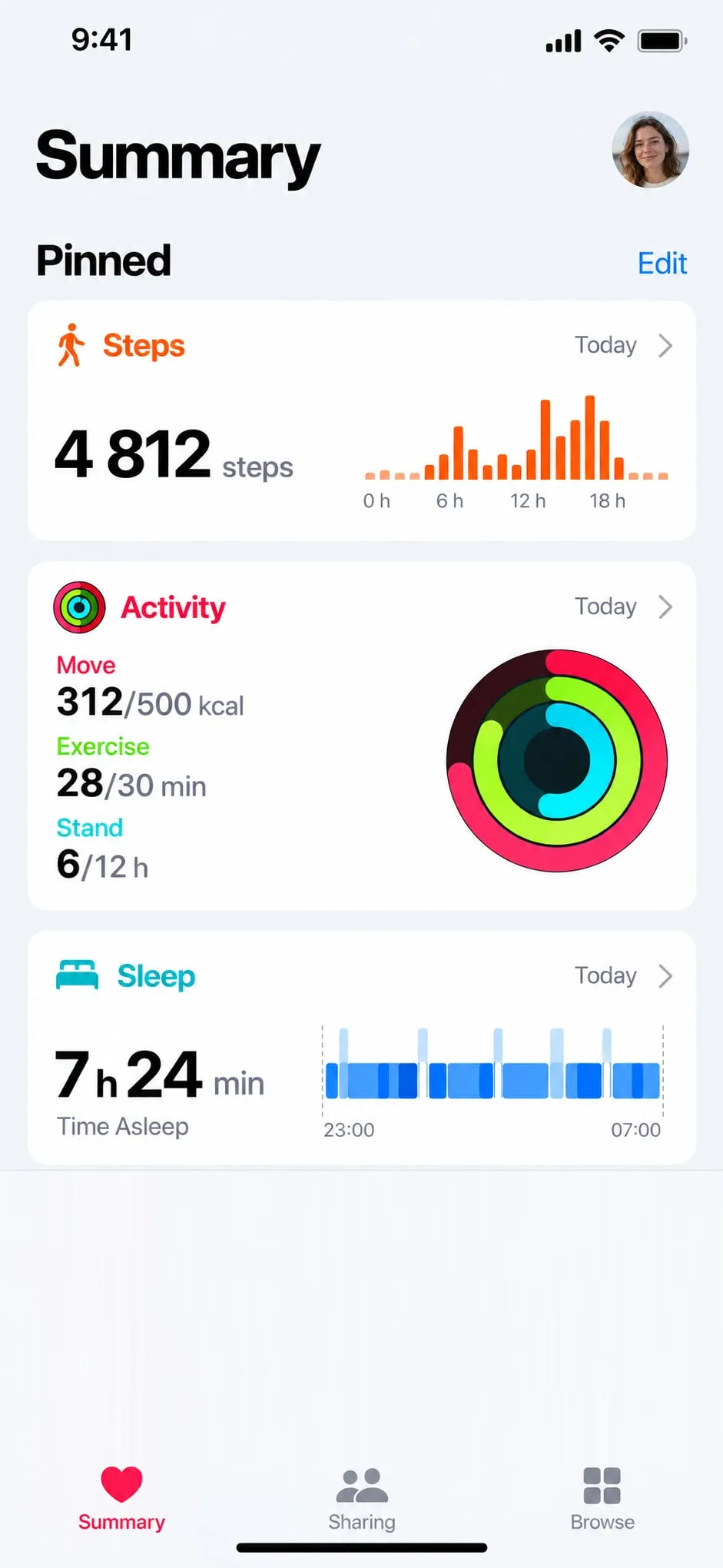
Open the Health appThe red heart on a white background.
Tap your photoTop right of the screen.
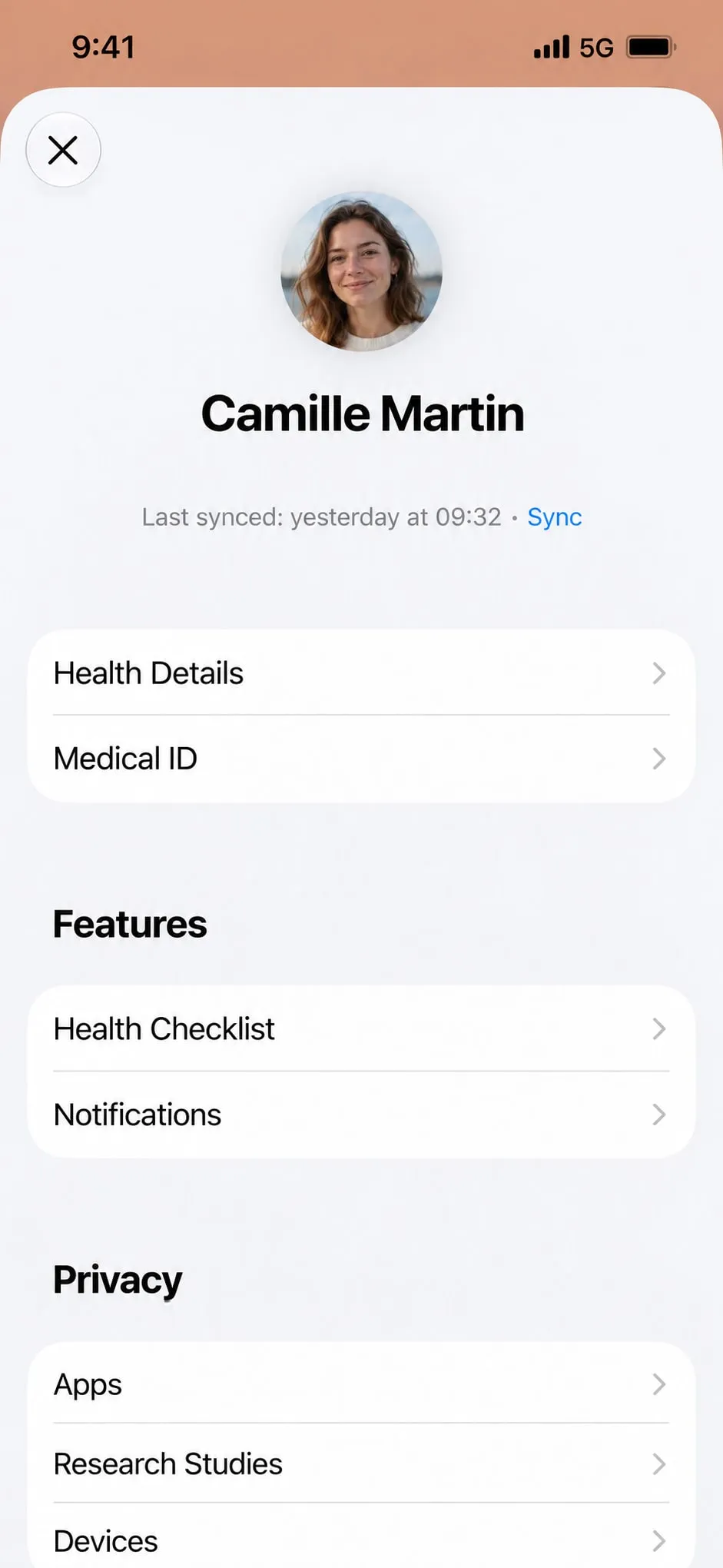
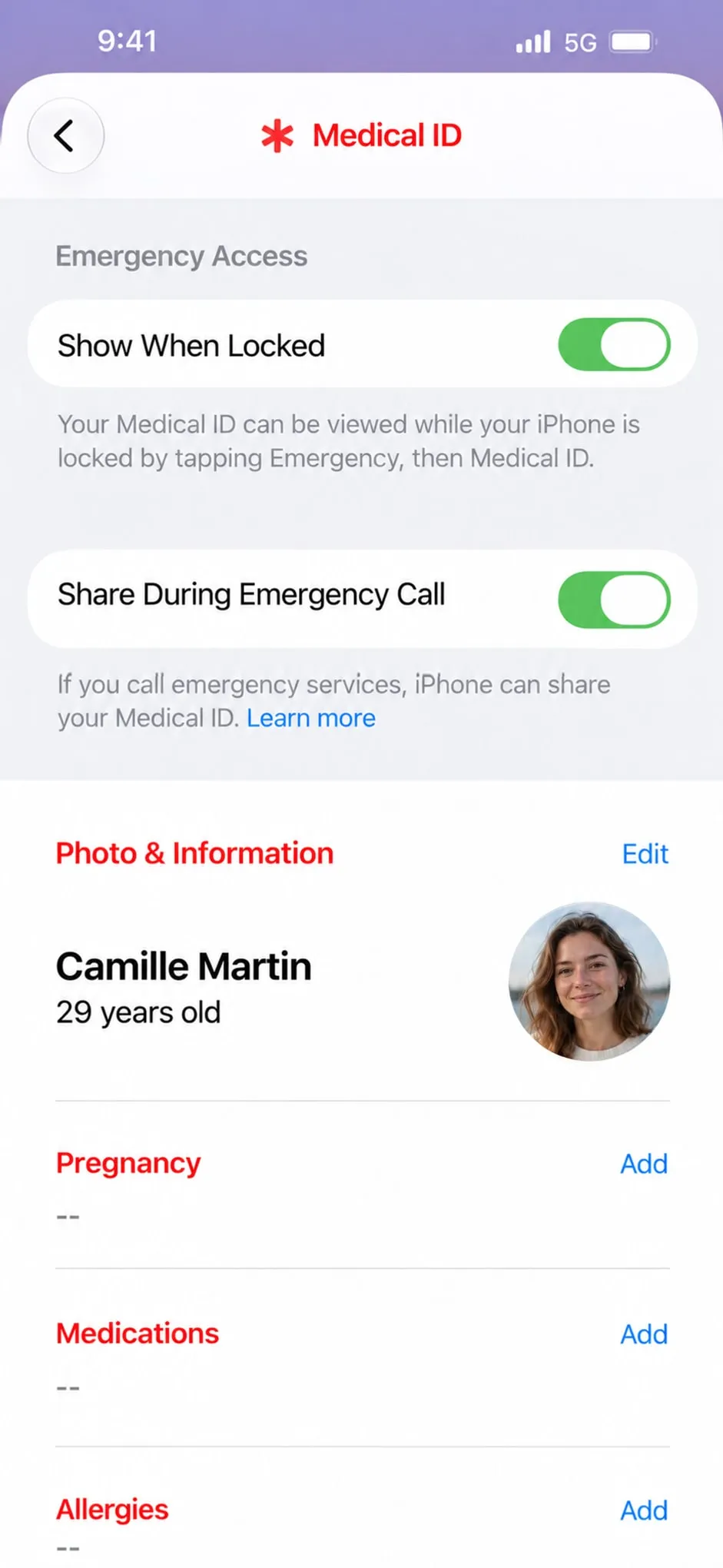
Tap “Medical ID”Just below “Health Details”.
Turn on both switches“Show When Locked” and “Share During Emergency Call”.
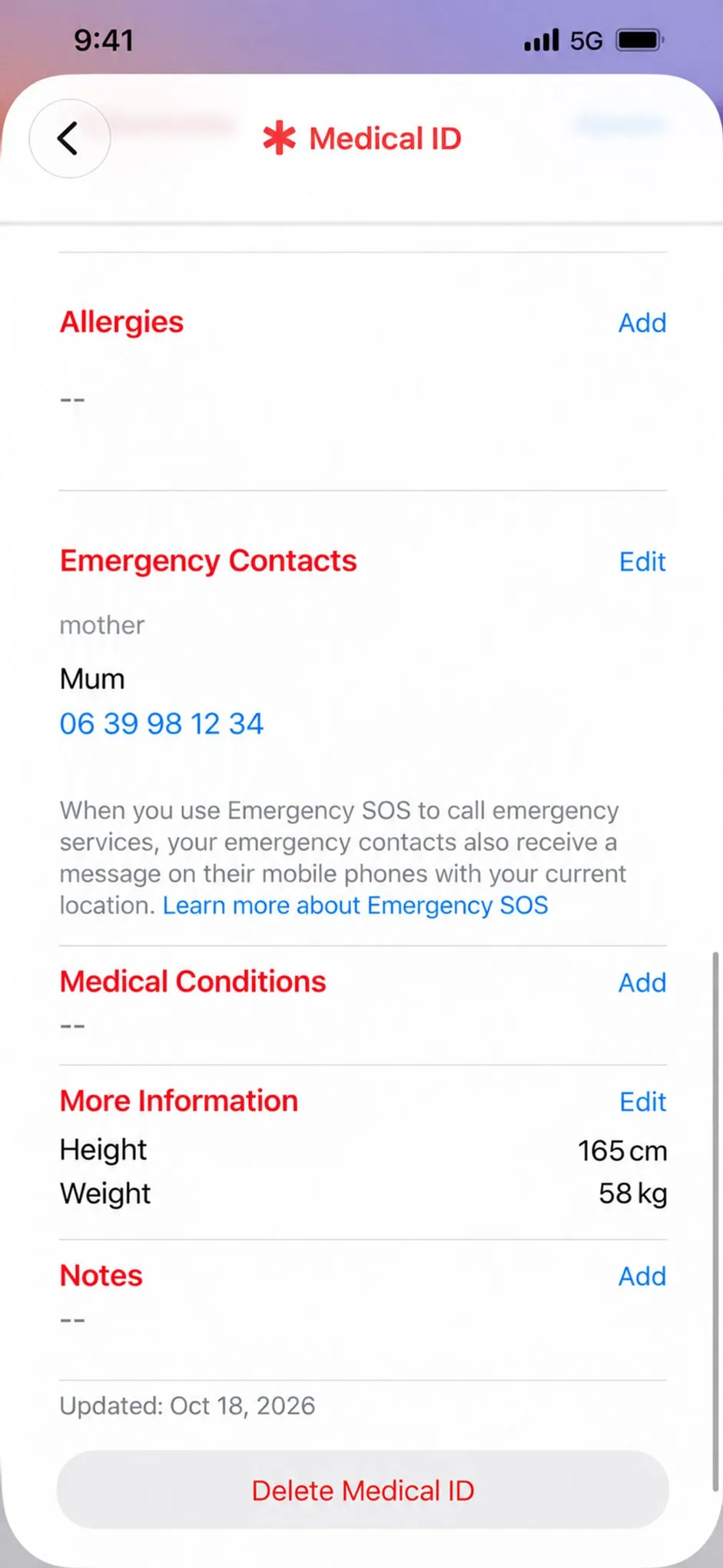
Scroll down to “Emergency Contacts”Then tap “Edit”.
Add the people close to youPick a person and say how they relate to you. As many as you like.
All setOYA and your iPhone are paired. All that is left is to clip it to your keys.
I can’t see it

It doesn’t show up?

  • Check that your phone’s Bluetooth is on.
  • Keep OYA right next to the phone.
  • Hold the side button again until it beeps.
  • Still nothing? Charge it over USB-C, then try again.
  1. 1Pair OYA with your phonePair
  2. 2Let the call go out on its ownSOS settings
  3. 3Choose who to alertContacts

Step 1

Pair OYA with your phone

  1. Open Settings and switch Bluetooth on.Head to Settings › Bluetooth and check that the toggle is active.
  2. Put OYA in pairing mode.Hold the side button on your OYA until it beeps. From that point it is ready to be found.
  3. Tap OYA in your Bluetooth list.Under “Other devices”, find “SOS Personal Alarm” and tap it to pair.

In your Bluetooth list the device is called “SOS Personal Alarm”, not OYA. The name comes from the module inside: it really is yours.

Settings › Bluetooth: the device shows up as “SOS Personal Alarm”

Step 2

Let the call go out on its own

  1. Open the Settings app.From your iPhone Home screen, open Settings.
  2. Tap “Emergency SOS”.Scroll through the Settings list until Emergency SOS appears, then select it.
  3. Switch on “Call with Side Button”.That is the phone’s side button, not OYA’s. From then on the SOS shortcut makes your phone ring the emergency services.
Settings › Emergency call: turn on the side button call

Step 3

Choose who to alert

  1. Open the Health app.Tap the profile picture in the top-right corner.
  2. Tap Medical ID, then Edit.Scroll until you reach the Emergency Contacts section.
  3. Add a contact.Tap “Add Emergency Contact”, choose someone from your list and set how they are related to you.
  4. Do it again, then save.Add as many contacts as you want, then tap Done to confirm.

Set up your OYA on Android

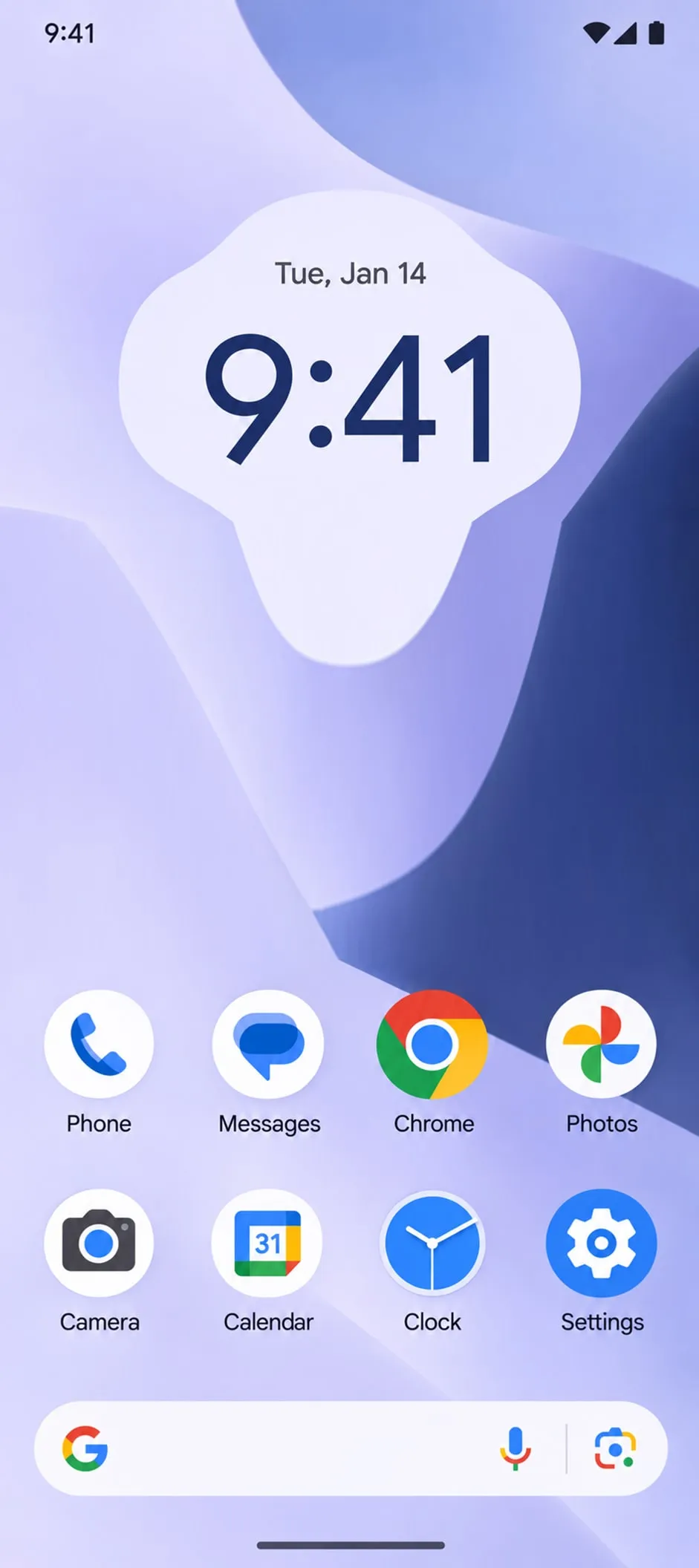
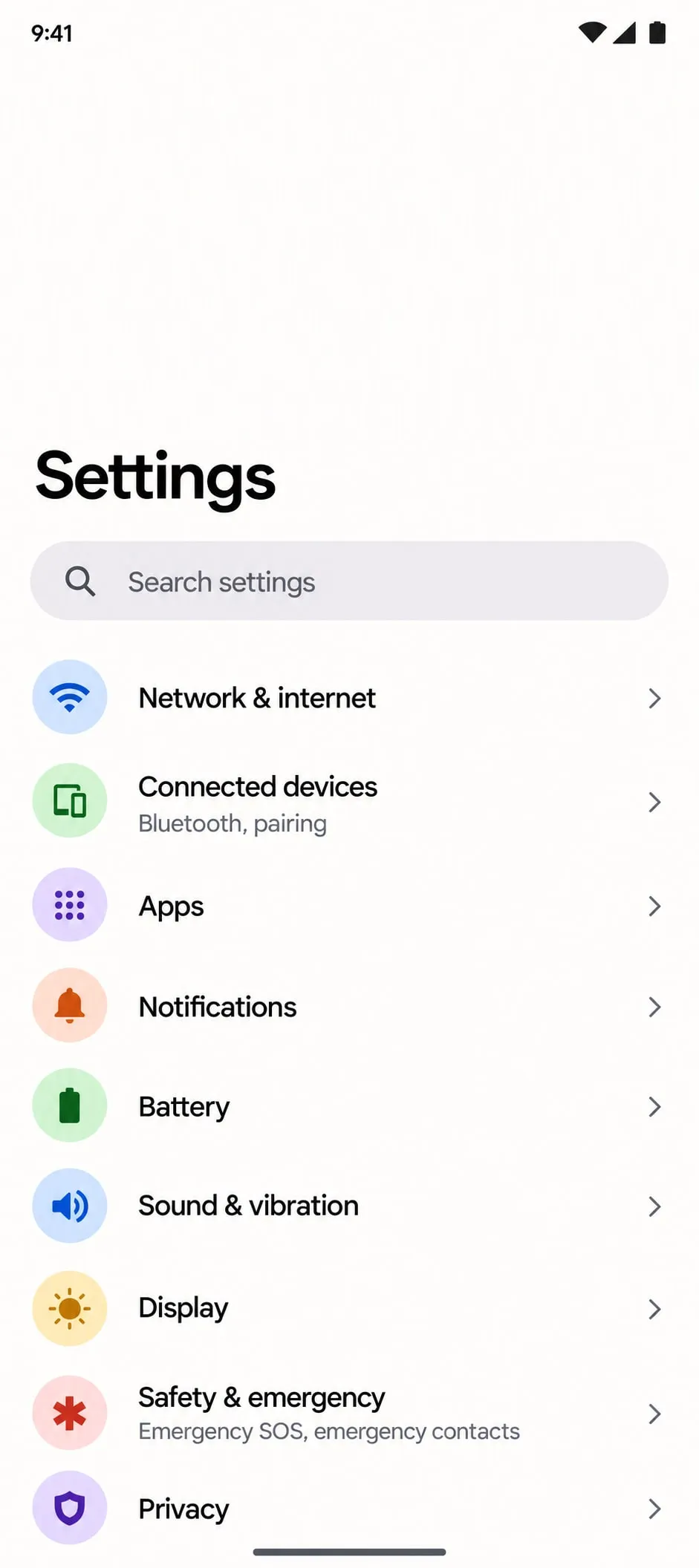
Open SettingsThe gear icon.
Tap “Connected devices”The name varies a little from one brand to another.
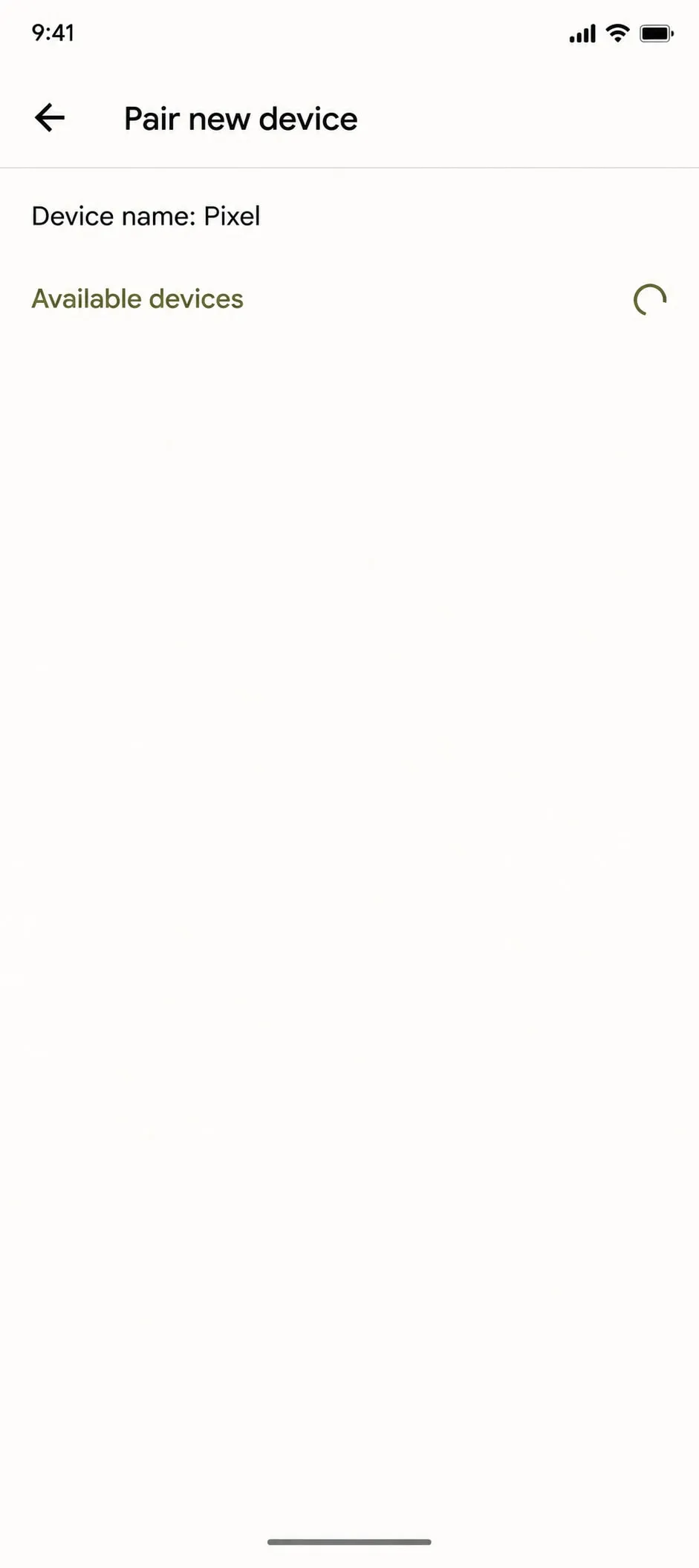
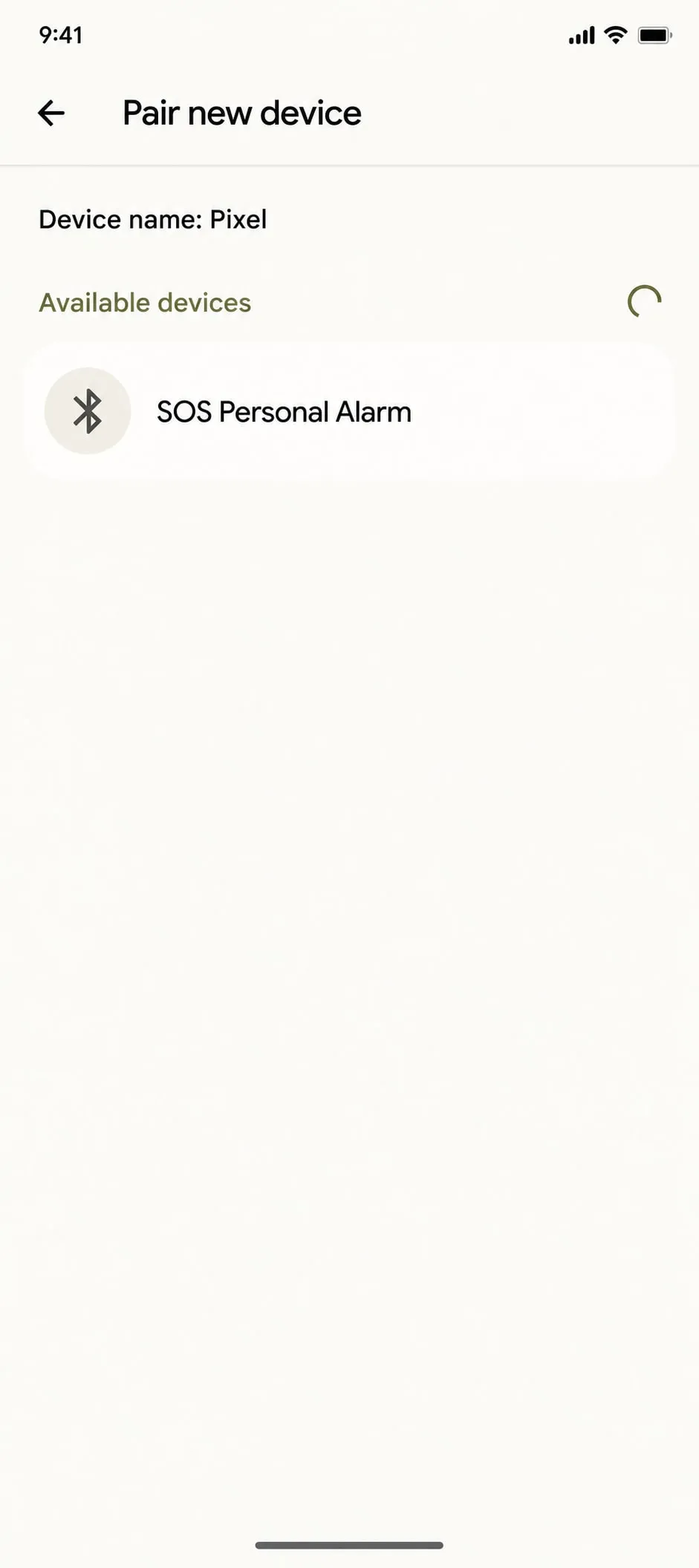
Tap “Pair new device”Bluetooth has to be on.
Hold OYA’s side buttonUntil it beeps: it is ready to be found.
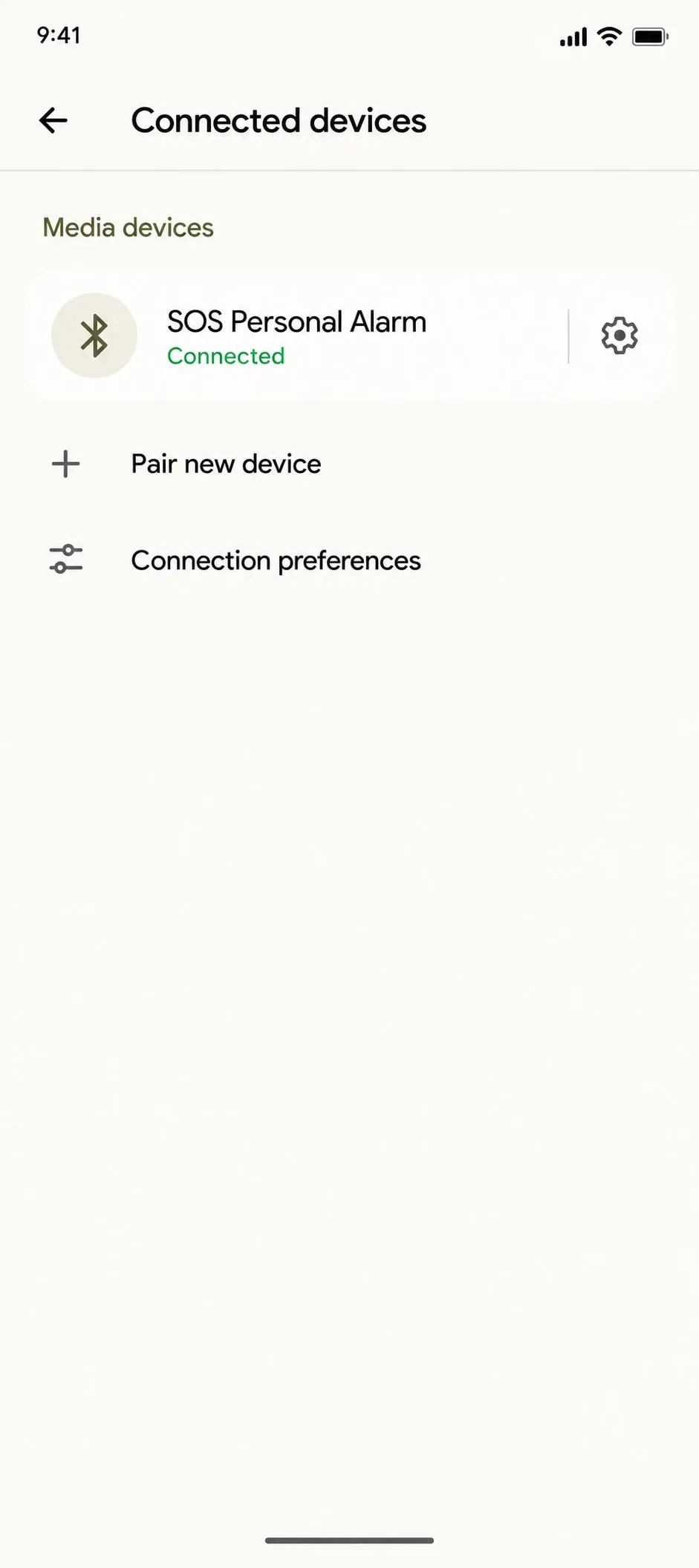
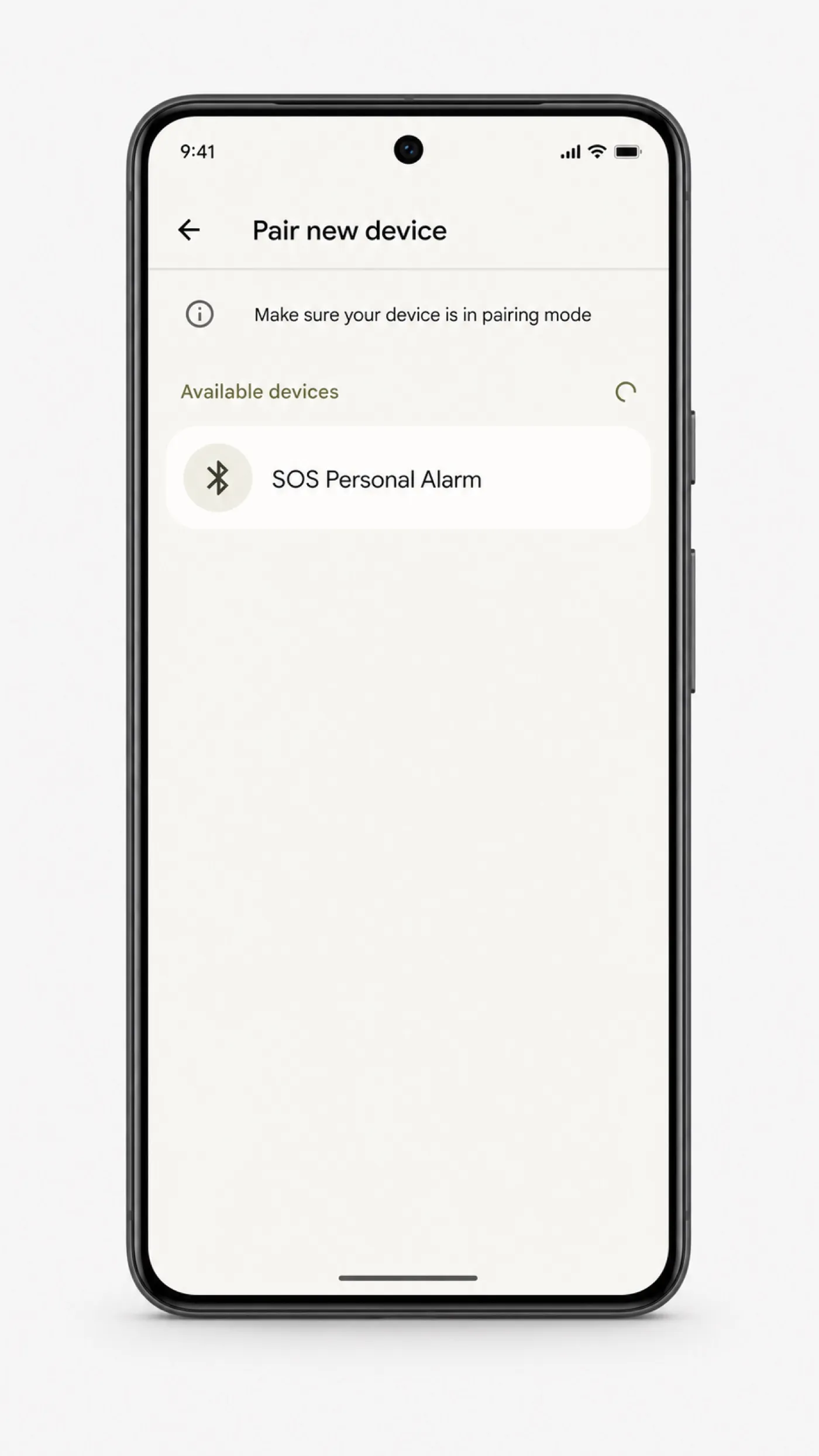
It shows up: “SOS Personal Alarm”That is your OYA: the name comes from the module inside.
Tap “SOS Personal Alarm”Under “Available devices”.
“Connected”: it is pairedPairing happens only once.
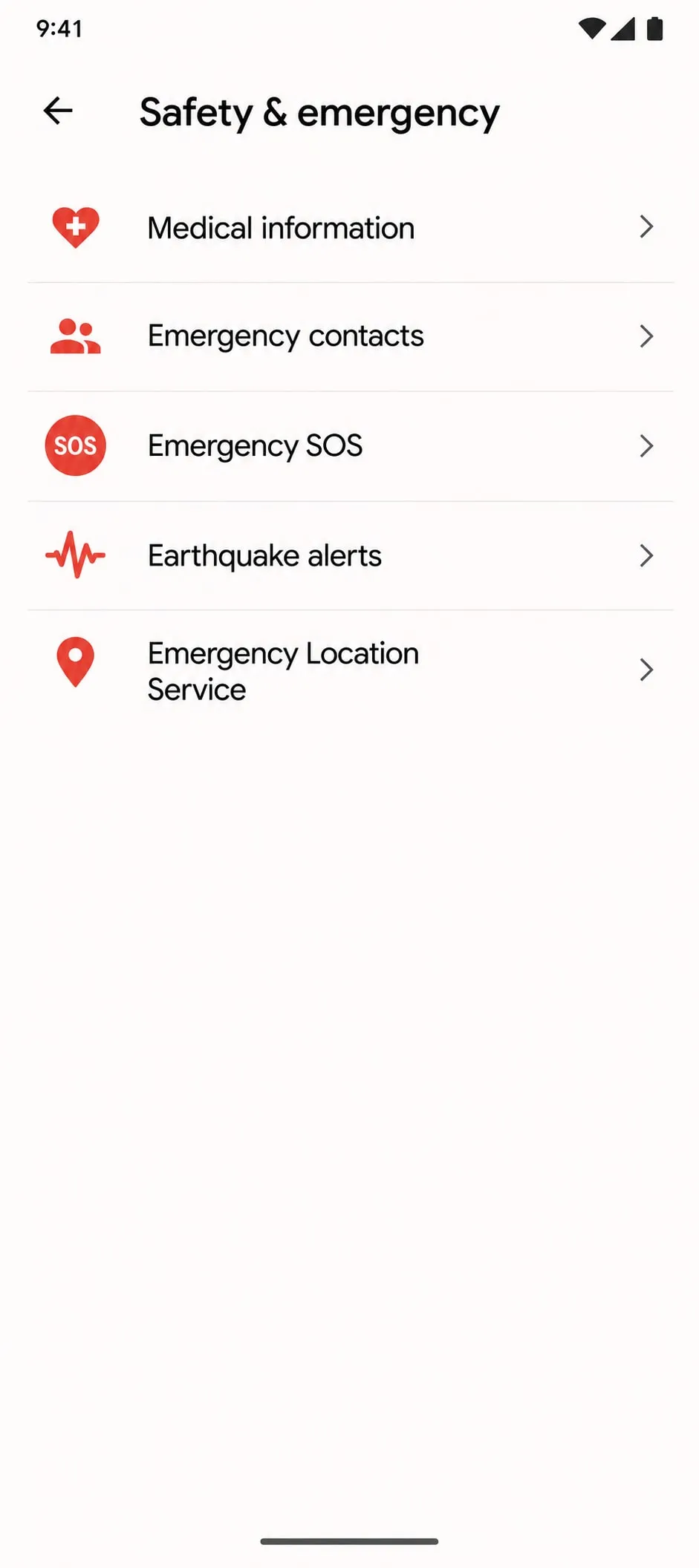
Go back to SettingsTap “Safety & emergency”.
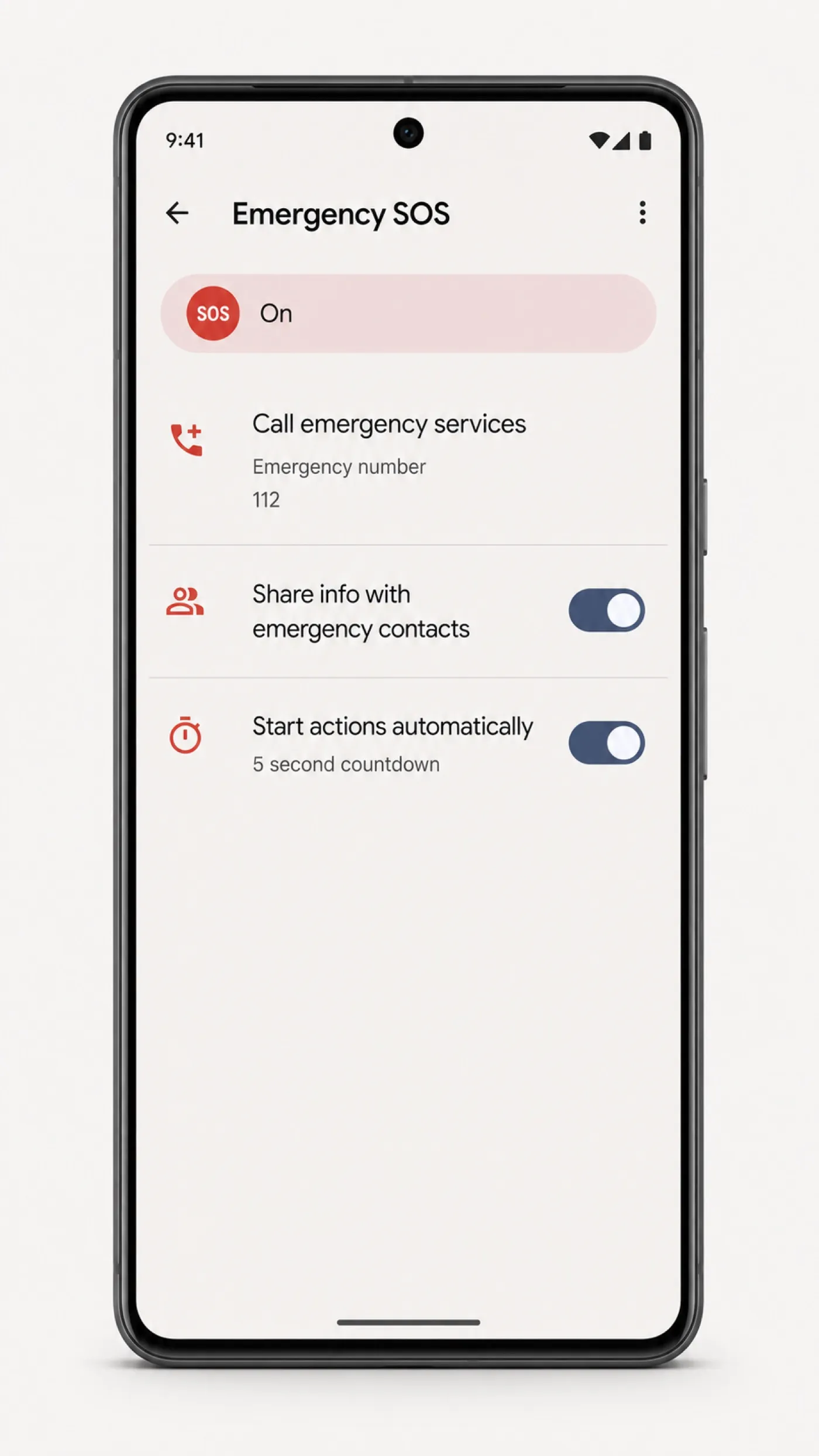
Tap “Emergency SOS”On Samsung: “Advanced features › Send SOS messages”.
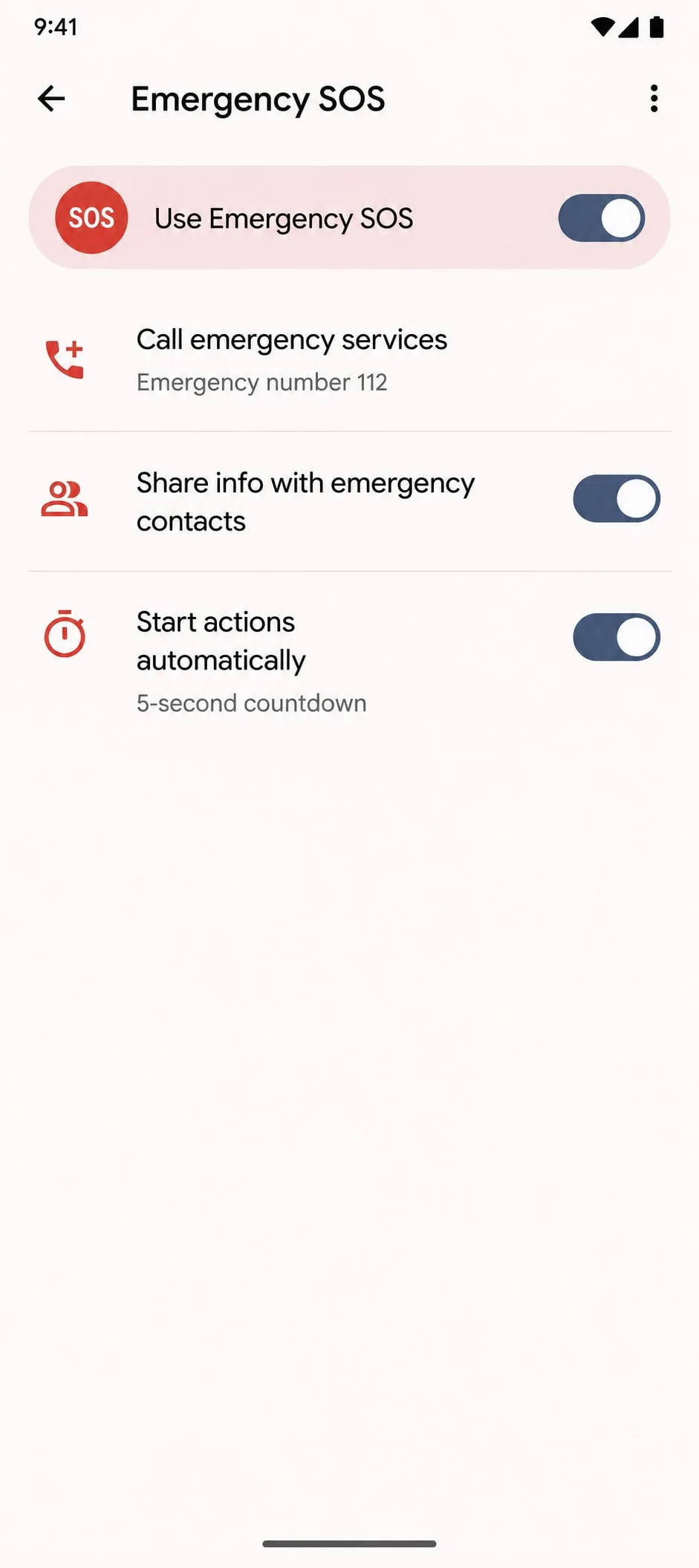
Turn on “Use Emergency SOS”The switch has to be on.
The call goes out on its ownWhen the SOS is triggered, your phone dials emergency services.
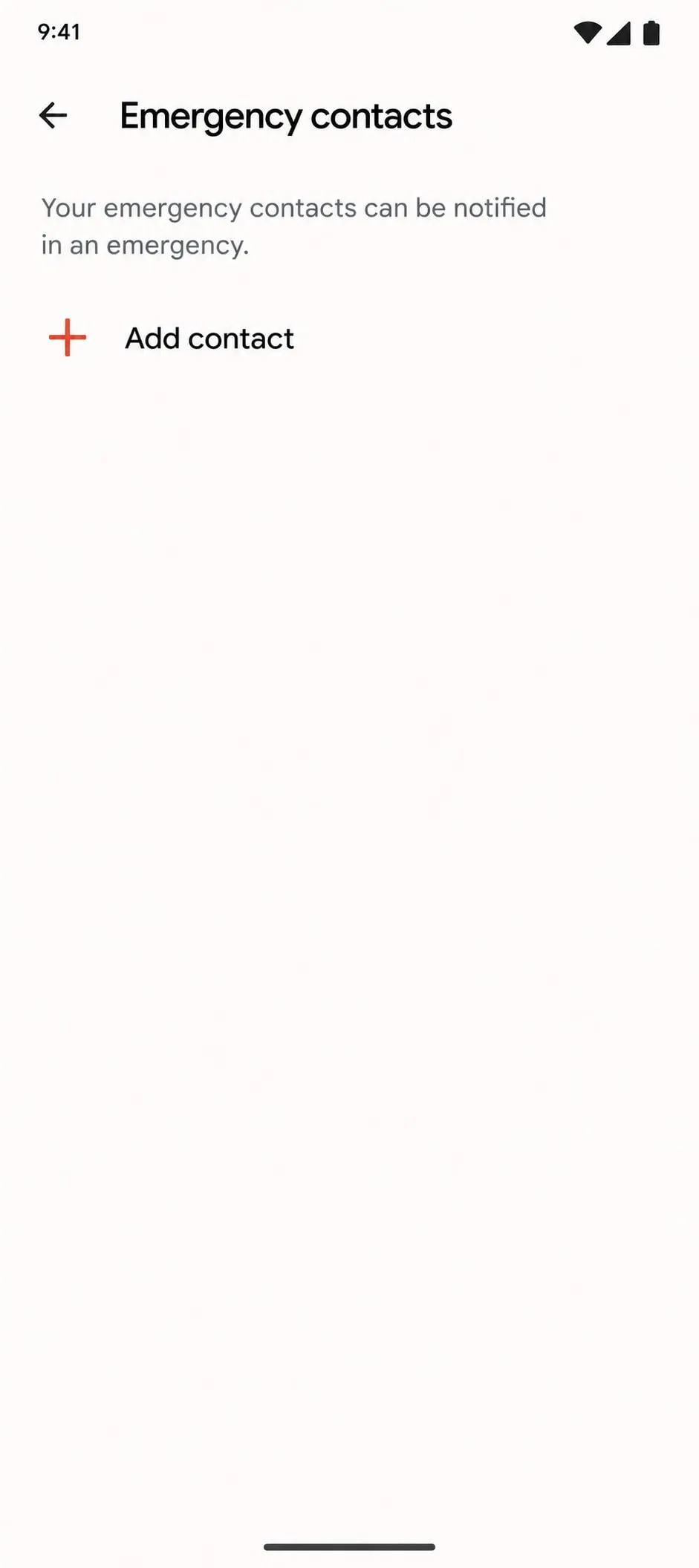
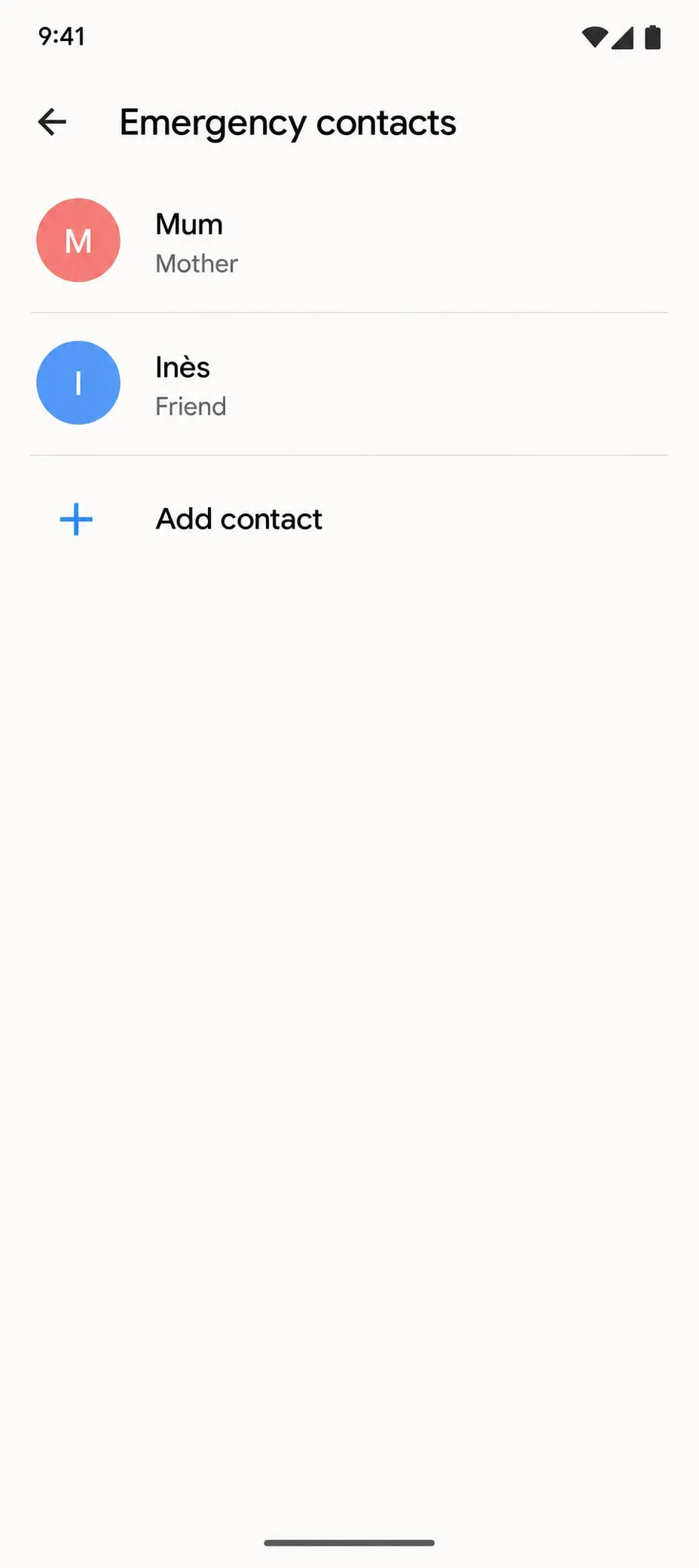
Tap “Emergency contacts”Still in “Safety & emergency”.
Tap “Add contact”Then pick a person from your list.
Add the people close to youRepeat for each person to alert.
All setOYA and your Android are paired. All that is left is to clip it to your keys.
I can’t see it

It doesn’t show up?

  • Check that your phone’s Bluetooth is on.
  • Keep OYA right next to the phone.
  • Hold the side button again until it beeps.
  • Still nothing? Charge it over USB-C, then try again.
  1. 1Pair OYA with your phonePair
  2. 2Let the call go out on its ownSOS settings
  3. 3Choose who to alertContacts

Step 1

Pair OYA with your phone

  1. Open your phone settings and switch Bluetooth on.Go into your phone settings and check that Bluetooth is active.
  2. Put OYA in pairing mode.Hold the side button on your OYA until it beeps. From that point it is ready to be found.
  3. Tap OYA in your Bluetooth list.In your phone Bluetooth list, find “SOS Personal Alarm” and tap it to pair.

In your Bluetooth list the device is called “SOS Personal Alarm”, not OYA. The name comes from the module inside: it really is yours.

Settings › Bluetooth: the device shows up as “SOS Personal Alarm”

Step 2

Let the call go out on its own

  1. Open the Settings app.From your Android Home screen, open Settings.
  2. Tap “Safety & Emergency”.The exact wording shifts a little between Android brands.
  3. Switch Emergency SOS on.From then on your phone rings the emergency services once it is triggered.

On Samsung it can sit under “Advanced Features › Send SOS Messages”.

Settings › Safety and emergency: the emergency SOS entry

Step 3

Choose who to alert

  1. Open the Settings app on your Android phone.
  2. Tap Safety & Emergency.Or type “Emergency contacts” into the Settings search.
  3. Tap Emergency contacts.
  4. Choose someone from your contact list.
  5. Do it again for any further contacts.
  6. Tap Save to confirm.

Your OYA knows your phone.

You will not have to think about it again. Now see what happens when you pull the loop.

To try it without calling for help Pull the loop, then push it back within 6 seconds: the siren stops and no call goes out. After that, your phone really calls emergency services: cancel the SOS from your phone.

Stuck on a step? Write to the team: a real person replies within 24 working hours.

Their words, as written.

Our customer reviews onTrustpilot
Sibylle R.Rated 5 out of 5Trustpilot
Trop contente ! J’espère ne jamais avoir à l’utiliser mais c’est très rassurant de l’avoir sur moi en tant que femme dans la rue. Utilisé avec des amis et approuvé !
Review written in French
Juliette C.Rated 5 out of 5Trustpilot
super produit je recommande reçu en 2 jours avec suivi lettre verte !
Review written in French
Emma L.Rated 5 out of 5Trustpilot
Concept intéressant, j’apprécie que l’on reverse à une association !!
Review written in French
Cécilia C.Rated 5 out of 5Trustpilot
Super produit !!! 🤩
Review written in French
Salomé D.Rated 5 out of 5Trustpilot
Bien reçu le produit et j'en suis très satisfaite ! Merci
Review written in French
Rigoudy P.Rated 5 out of 5Trustpilot
Je l'ai prise pour ma copine qui finit tard au boulot et rentre en métro. Elle la porte tous les jours sur son sac, et moi je suis beaucoup plus tranquille quand elle rentre seule
Review written in French
NaysouuRated 5 out of 5Trustpilot
Superbe alarme je recommande completement ! ⭐️⭐️⭐️⭐️⭐️
Review written in French
MichelRated 5 out of 5Trustpilot
Livraison rapide, très bon objet, je recommande.
Review written in French
Pierre M.Rated 5 out of 5Trustpilot
Très content du produit, je recommande
Review written in French
Cyprien B.Rated 5 out of 5Trustpilot
Bien reçu ! Déjà sur le sac de ma petite sœur, c’est bruyant mais au moins je suis rassuré 👌.
Review written in French
VincentRated 5 out of 5Trustpilot
Produit arrivé rapidement, en très bon état. Le produit fonctionne très bien
Review written in French
About these reviews

A selection of 5-star reviews published on Trustpilot. Read every review on Trustpilot

We will write the day it is back

Leave your address here. One email the day this can be ordered again, and nothing else.

One email when it is available again, nothing more. Privacy policy

Welcome to OYA

Always within reach. 5% off your first order

Leave your email: your code shows up right away and waits for you in the cart.

Plus: Black Friday starts for you on Thursday 26 November, a day before everyone else.